Nextore – Designing a Scalable UX for Wholesale SaaS

A comprehensive redesign of a B2B distribution platform, transforming a fragmented suite of tools into a cohesive, modern experience with a scalable design system at its core.

CLIENT

Nextore is a B2B program specially designed for small, medium, and large distributors in wholesale. It covers the entire trading process - from promotion and sales to ordering and distribution.

ROLE

Led end-to-end UX and product design, from research and strategy through design system creation and platform-wide implementation.

THE CHALLENGE

Nextore reached a stage where rapid expansion led the UI to naturally follow backend structure and data logic. While this ensured stability and feature completeness, it also meant some screens were shaped more by technical architecture than by user flow or cognitive load.

This created a strategic opportunity: to realign the interface with user needs, unify patterns across modules, and introduce a design system that supported both scalability and speed.

GOAL

Bring a unified structure and clear interaction patterns to a rapidly evolving, data-heavy platform by translating backend complexity into intuitive workflows that remain powerful for professionals while becoming more approachable for smaller retailers.

FOUNDATION

Built a comprehensive design system from the ground up, establishing shared language and patterns that would scale across the entire platform and mobile app.

Instead of designing components in isolation, the system was shaped directly through real product work—turning fragmented interfaces into consistent, reusable patterns. This approach created immediate impact: faster feature delivery, fewer one-off design decisions, and a more predictable experience for users as the product continued to grow.
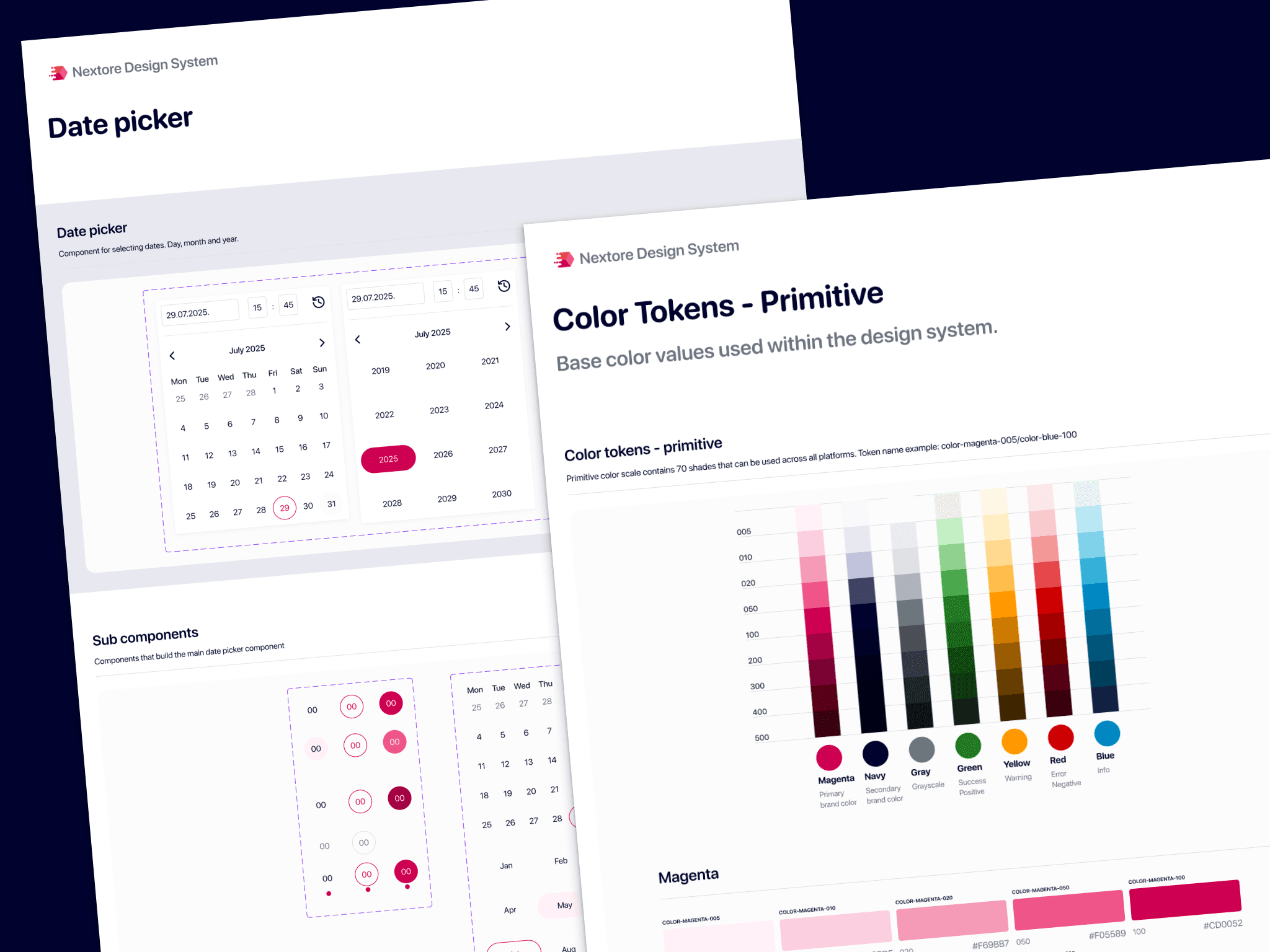
Tokens & Fundamentals

8px spacing system with clear hierarchy

Semantic color palette with accessibility in mind

Type scale optimized for data-heavy interfaces

Comprehensive icon library and guidelines

Core components

Data tables with sorting, filtering, pagination

Form inputs, validation, and error states

Navigation patterns and breadcrumbs

Tags, badges, and status indicators

Empty states and loading patterns

PLATFORM REDESIGN

The platform redesign was shaped through ongoing conversations with users and close collaboration with the development team. The goal was to find the right balance between the depth required by complex wholesale operations and an interface that feels clear, predictable, and efficient in daily use. Every change focused on supporting real workflows rather than exposing system logic.
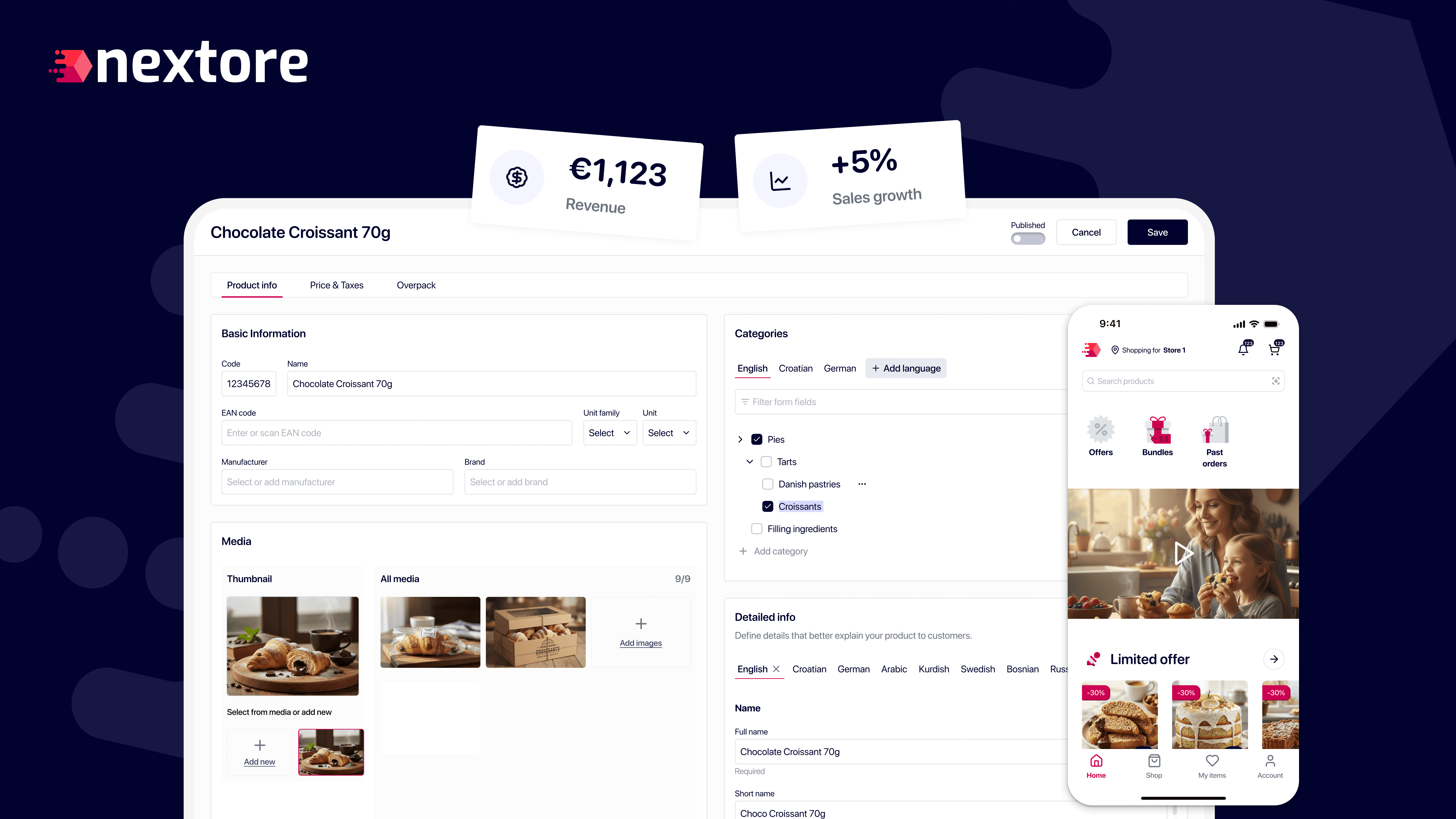
Stock Item Editor

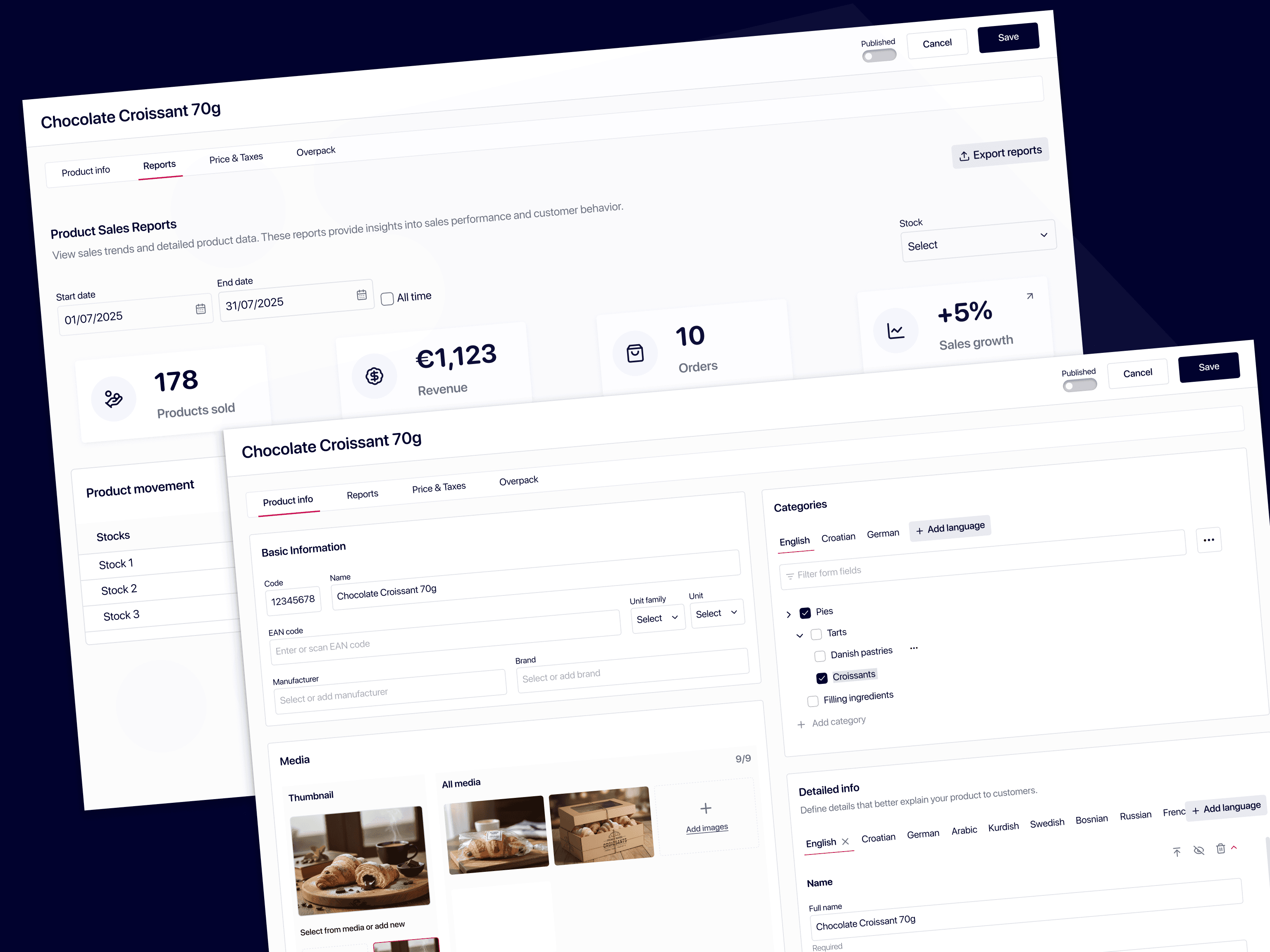
The stock experience was redesigned to help users manage large catalogs quickly and confidently, without exposing unnecessary technical complexity.

  • Consolidated fragmented inputs into a single, structured editor aligned with user mental models

  • Clear separation between core product data, pricing, tax, and packaging

  • Optimized for keyboard-first workflows and rapid editing across SKUs

  • Reduced visual noise to help users focus on what changes most often

Stock Item Editor

The stock experience was redesigned to help users manage large catalogs quickly and confidently, without exposing unnecessary technical complexity.

  • Consolidated fragmented inputs into a single, structured editor aligned with user mental models

  • Clear separation between core product data, pricing, tax, and packaging

  • Optimized for keyboard-first workflows and rapid editing across SKUs

  • Reduced visual noise to help users focus on what changes most often

Stock Item Editor

The stock experience was redesigned to help users manage large catalogs quickly and confidently, without exposing unnecessary technical complexity.

  • Consolidated fragmented inputs into a single, structured editor aligned with user mental models

  • Clear separation between core product data, pricing, tax, and packaging

  • Optimized for keyboard-first workflows and rapid editing across SKUs

  • Reduced visual noise to help users focus on what changes most often

Stock Item Editor

The stock experience was redesigned to help users manage large catalogs quickly and confidently, without exposing unnecessary technical complexity.

  • Consolidated fragmented inputs into a single, structured editor aligned with user mental models

  • Clear separation between core product data, pricing, tax, and packaging

  • Optimized for keyboard-first workflows and rapid editing across SKUs

  • Reduced visual noise to help users focus on what changes most often

Operational Workflows

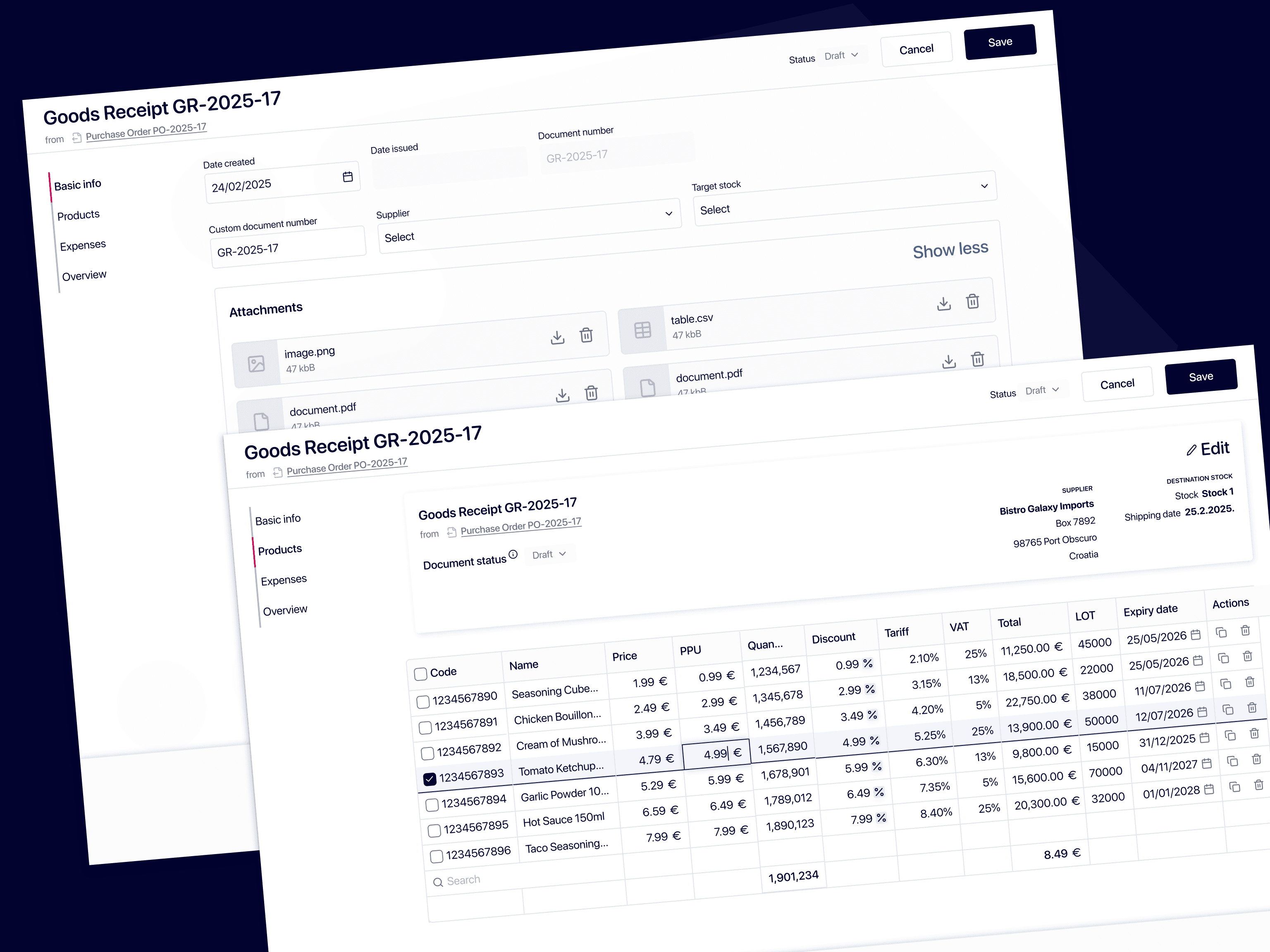
Core operational workflows—purchasing, warehouse movements, and document creation—were streamlined to reduce hesitation and errors.

  • Standardized document creation patterns across orders, receipts, invoices, and transfers

  • Improved hierarchy to clearly distinguish editable fields, calculated values, and statuses

  • Consistent layout across workflows to reduce relearning when switching tasks

  • Better visibility into document relationships and process context

Operational Workflows

Core operational workflows—purchasing, warehouse movements, and document creation—were streamlined to reduce hesitation and errors.

  • Standardized document creation patterns across orders, receipts, invoices, and transfers

  • Improved hierarchy to clearly distinguish editable fields, calculated values, and statuses

  • Consistent layout across workflows to reduce relearning when switching tasks

  • Better visibility into document relationships and process context

Operational Workflows

Core operational workflows—purchasing, warehouse movements, and document creation—were streamlined to reduce hesitation and errors.

  • Standardized document creation patterns across orders, receipts, invoices, and transfers

  • Improved hierarchy to clearly distinguish editable fields, calculated values, and statuses

  • Consistent layout across workflows to reduce relearning when switching tasks

  • Better visibility into document relationships and process context

Operational Workflows

Core operational workflows—purchasing, warehouse movements, and document creation—were streamlined to reduce hesitation and errors.

  • Standardized document creation patterns across orders, receipts, invoices, and transfers

  • Improved hierarchy to clearly distinguish editable fields, calculated values, and statuses

  • Consistent layout across workflows to reduce relearning when switching tasks

  • Better visibility into document relationships and process context

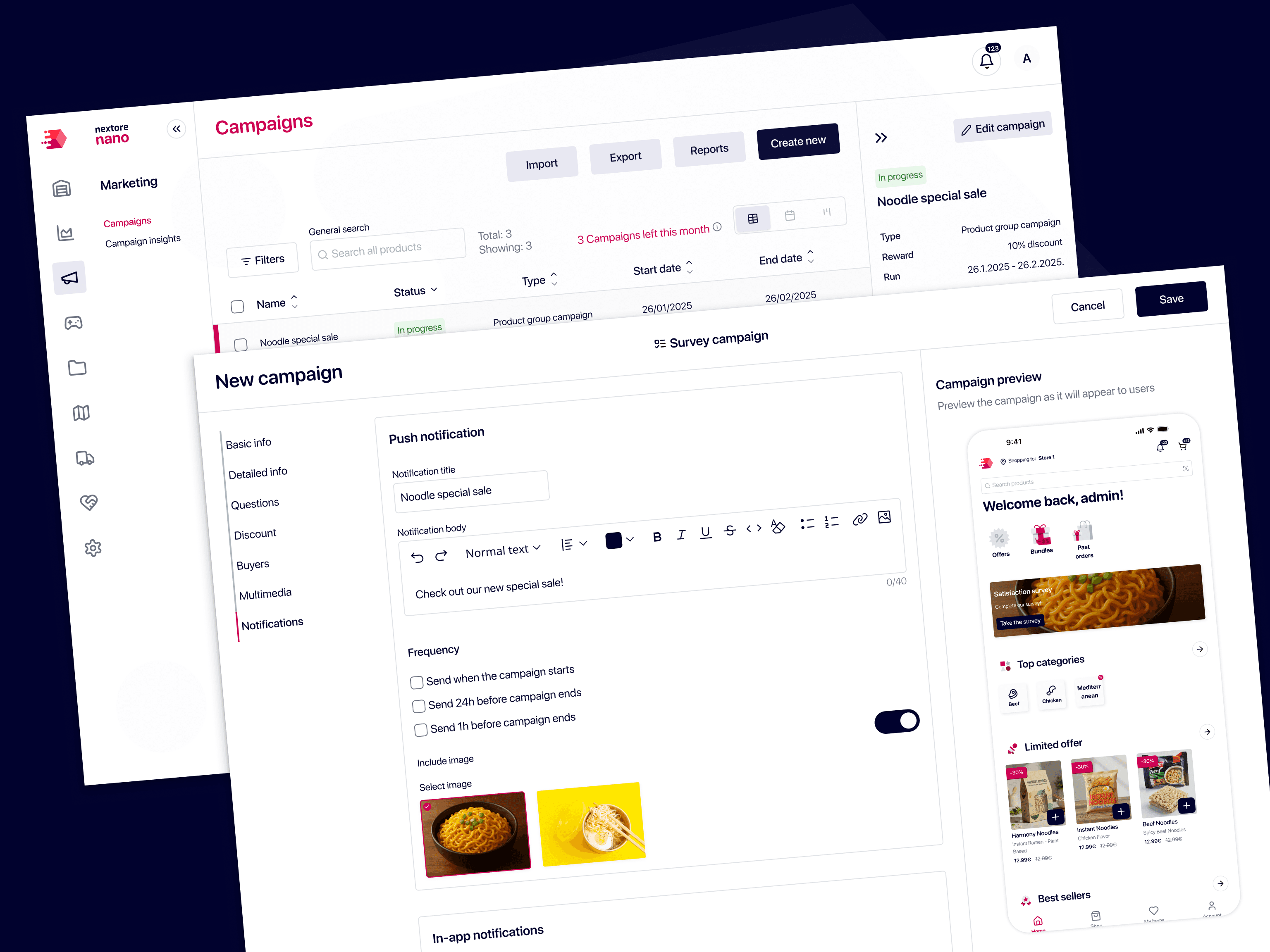
Marketing & Campaigns

The marketing module was redesigned to make campaigns easier to create, track, and understand—without requiring marketing expertise.

  • Unified campaign creation for product groups, promotions, and external channels

  • Clear overview of active, upcoming, and completed campaigns

  • Simplified setup flow to reduce friction and configuration errors

  • Designed to scale with future performance insights and analytics

Marketing & Campaigns

The marketing module was redesigned to make campaigns easier to create, track, and understand—without requiring marketing expertise.

  • Unified campaign creation for product groups, promotions, and external channels

  • Clear overview of active, upcoming, and completed campaigns

  • Simplified setup flow to reduce friction and configuration errors

  • Designed to scale with future performance insights and analytics

Marketing & Campaigns

The marketing module was redesigned to make campaigns easier to create, track, and understand—without requiring marketing expertise.

  • Unified campaign creation for product groups, promotions, and external channels

  • Clear overview of active, upcoming, and completed campaigns

  • Simplified setup flow to reduce friction and configuration errors

  • Designed to scale with future performance insights and analytics

Marketing & Campaigns

The marketing module was redesigned to make campaigns easier to create, track, and understand—without requiring marketing expertise.

  • Unified campaign creation for product groups, promotions, and external channels

  • Clear overview of active, upcoming, and completed campaigns

  • Simplified setup flow to reduce friction and configuration errors

  • Designed to scale with future performance insights and analytics

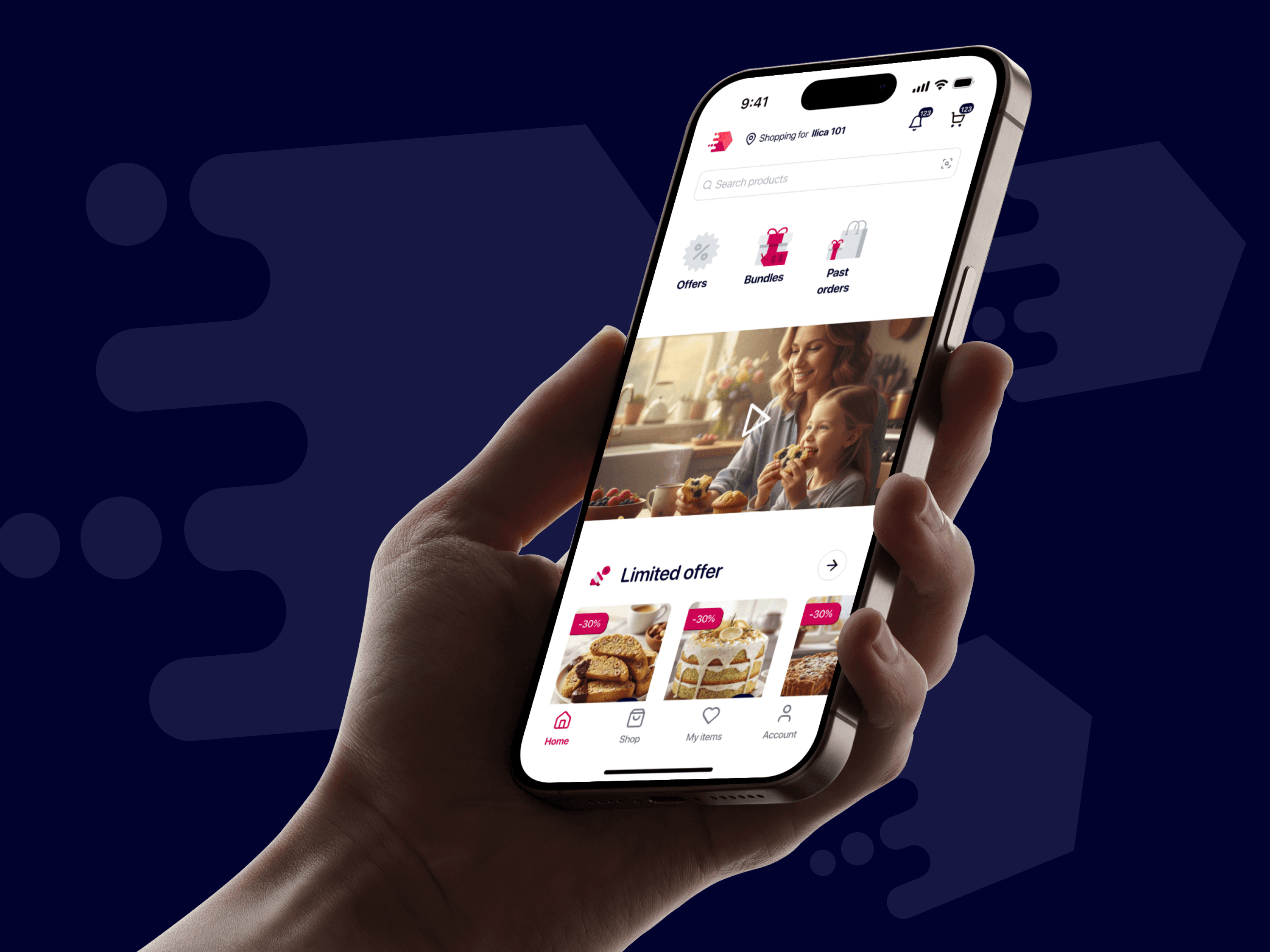
B2B BUYER APP

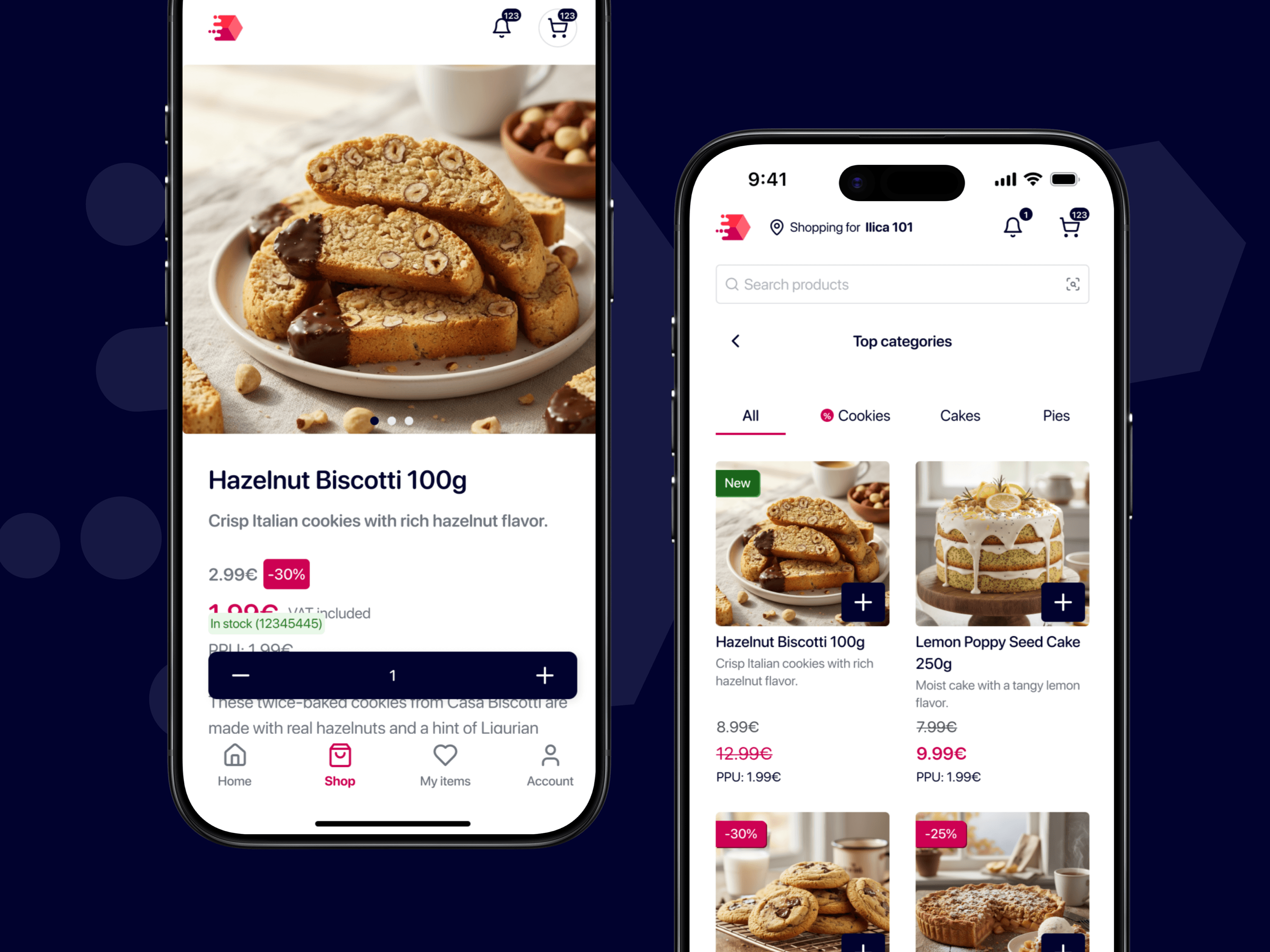
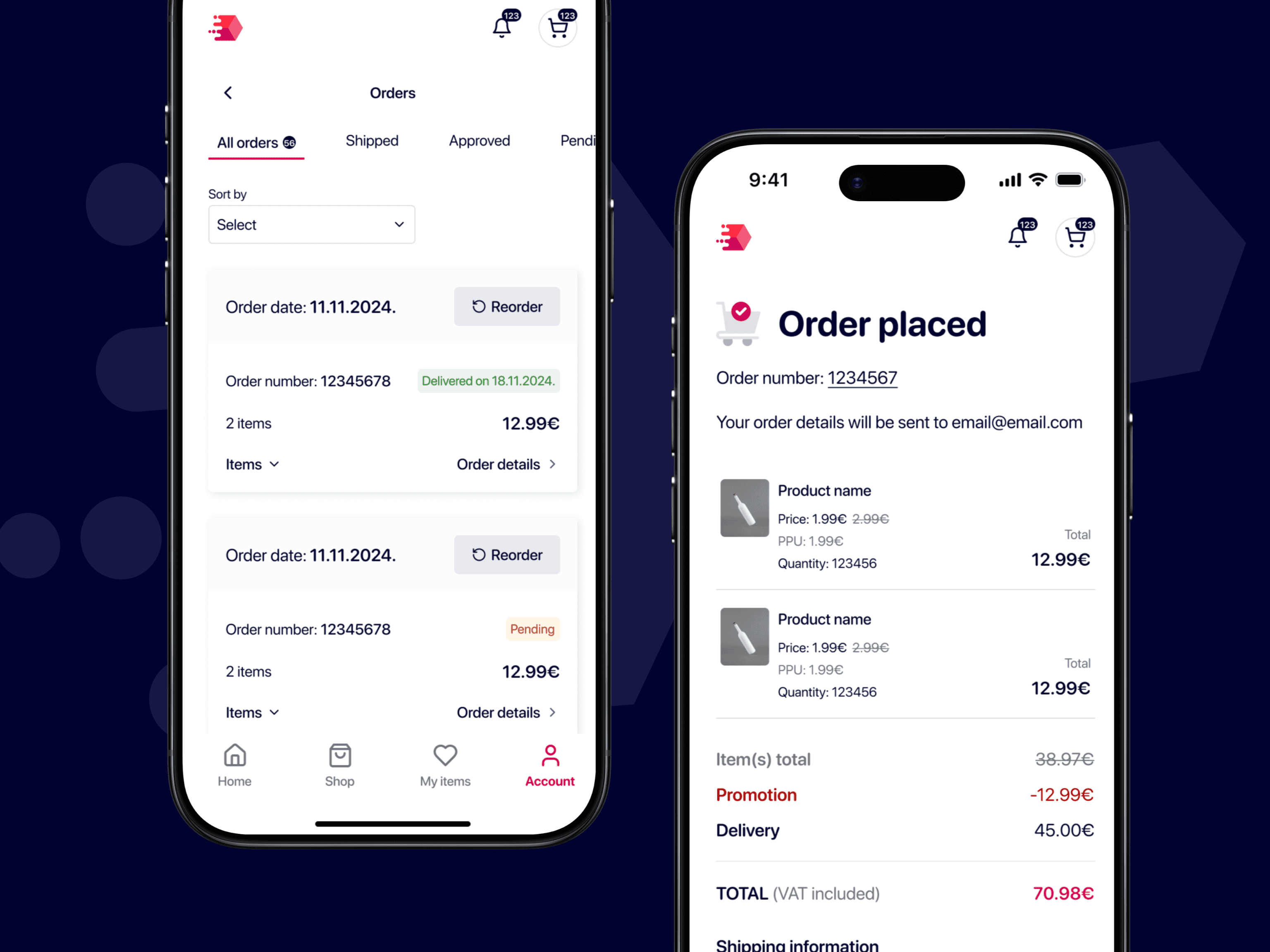
The original buyer app tried to replicate the full desktop experience on mobile, creating a cramped, overwhelming interface. We reimagined it as a focused ordering tool optimized for buyers on the move.

The buyer app was redesigned to prioritize speed, clarity, and accessibility for users ordering on the go. Rather than mirroring the desktop ERP, the experience blends familiar ecommerce browsing patterns with the efficiency of delivery apps, creating a flow that feels instantly understandable.
LEARNINGS

The biggest challenge wasn't just making things look better—it was preserving the power that experienced users relied on while making the platform approachable for newcomers. By building a solid design system foundation and iterating closely with users, we created an experience that scales from simple ordering to complex distribution workflows.

READ MORE

Truth&Date - Dating app designed for people looking for meaningful people and experiences

Product Design | Master’s Project | Online Dating
Connou Community - Increasing engagement by fostering communities

Product Design | Startup | EdTech